
 Up / down shifts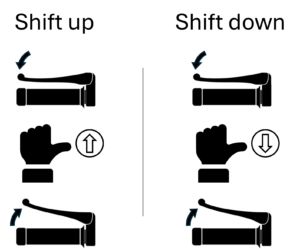
AShyft has UpShift and DownShift buttons to control shifts: Disengage clutch, then press a Shift button, then engage the clutch – simple and intuitive.
Find neutral 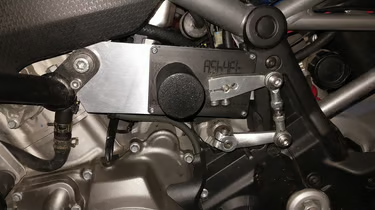 AShyft finds neutral with a long press of the upshift or downshift buttons from 1st or 2nd gear.
AShyft Pro has a dedicated neutral button that can be activated from 1st or 2nd gear.
Preselect down shifts 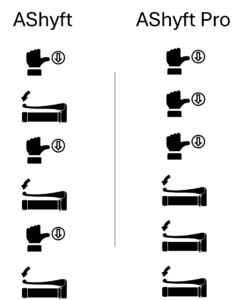 AShyft can emulate the operation of a preselector gearbox, to drop down a gear when you disengage the clutch. Each press of the button will tell AShyft to prepare for a single downshift when the clutch is disengaged.
With AShyft Pro, you can press the button multiple times, then each cutch disengagement will shift down one gear.
Hold at shift limit Older or worn gearboxes will sometimes need the shift to be held momentarily to ensure a reliable gear selection. AShyft can be set to hold the gear shift at its limit for a short time, minimising the potential for a failed shift.
Operating Modes AShyft and AShyft Pro can be configured to run in one of two modes – reliability or performance mode.
Reliability mode is better for older or worn gearboxes. Performance mode provides the fastest shifting.
AShyft App 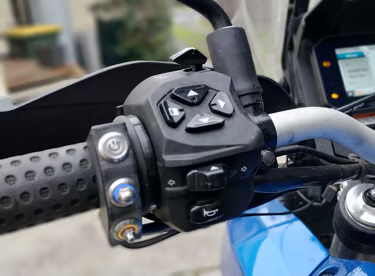 AShyft comes pre-configured with baseline settings, but each bike will have its own unique characterstics. The AShyft App allows installers to optimise the settings.
 Clutchless Upshifts
  If your bike has quick-shifting capability, AShyft Pro offers clutchless upshifts as well as standard clutched shifting. Depending on the bike, you can configure one or two RPM thresholds.
Clutchless Downshifts  If your bike has a downshift blip function (with or without a slipper clutch), AShyft Pro offers clutchless downshifts.
Shift re-try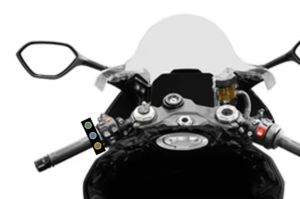 AShyft Pro can detect if a shift has not been completed and try the shift again.
Up / down shifts
AShyft has UpShift and DownShift buttons to control shifts: Disengage clutch, then press a Shift button, then engage the clutch – simple and intuitive.
Find neutral AShyft finds neutral with a long press of the upshift or downshift buttons from 1st or 2nd gear.
AShyft Pro has a dedicated neutral button that can be activated from 1st or 2nd gear.
Preselect downshifts AShyft can emulate the operation of a preselector gearbox, to drop down a gear when you disengage the clutch. Each press of the button will tell AShyft to prepare for a single downshift when the clutch is disengaged.
With AShyft Pro, you can press the button multiple times, then each cutch disengagement will shift down one gear.
Hold at shift limit Older or worn gearboxes will sometimes need the shift to be held momentarily to ensure a reliable gear selection. AShyft can be set to hold the gear shift at its limit, minimising the potential for a failed shift.
Operating Modes AShyft and AShyft Pro can be configured to run in one of two modes – reliability or performance mode.
Reliability mode is better for older or worn gearboxes. Performance mode provides the fastest shifting.
AShyft App AShyft comes pre-configured with baseline settings, but each bike will have its own unique characterstics. The AShyft App allows installers to optimise the settings.
Clutchless Upshifts If your bike has quick-shifting capability, AShyft Pro offers clutchless upshifts as well as standard clutched shifting. Depending on the bike, you can configure one or two RPM thresholds.
Clutchless DownshiftsIf your bike has a downshift blip function (with or without a slipper clutch), AShyft Pro offers clutchless downshifts.
Shift re-try AShyft Pro can detect if a shift has not been completed and try the shift again.